Salesloft
Email personalization without the hours
A refresh of Salesloft's AI email experience to make high-quality, researched outreach scalable for every sales rep.
My Role
Lead product designer
Team
Emails + Prospecting, 9 engineers, 2 PMs
Timeline
January 2025 – August 2025
Status
Fully launched January 2026
Context
Salesloft is a sales engagement platform where revenue teams manage outreach, automate cadences, and track prospect interactions — all in one place. For reps, the quality of their outreach directly drives pipeline. And the first email — the one that has to earn attention from a cold prospect — is where they spend the most time.
I led the end-to-end redesign of Salesloft's AI email experience to make personalization scalable — without sacrificing the quality that makes outreach actually work.
This is Part 1 of a two-part initiative. While this case study focuses on personalizing content to the recipient, Part 2 covers how we built the infrastructure for reps to personalize their own voice and for admins to maintain content consistency at scale.
Problem Scope
90% of reps told us the first cold email takes the longest — because real personalization requires real research. Our AI was supposed to solve that. Instead, it was generating generic drafts that reps had to heavily rewrite, often abandoning Salesloft entirely to paste content into ChatGPT and start over. The AI wasn't saving time. It was adding steps.
Three problems were driving this:
01
Data without strategy
The AI could pull account and person research to build personalized hooks, but it didn't know what was most relevant or when to use it. The result was emails that sounded researched but didn't feel strategic.
02
Redundant actions
Reps were copying and pasting data from within Salesloft into third-party tools to rewrite drafts, then manually re-entering content the platform already had. The workaround had become the workflow.
03
Unnecessary configuration
The admin setup process required extra inputs that created cognitive overload without meaningfully improving output quality.
Design Goal
Design Goal: From “Black Box” to “Collaborator”
My goal was to transform our AI email step experience from a generator into a high-fidelity writing partner. We needed to establish a consistent AI pattern across the platform that prioritized user control and strategic alignment.



Our solution: a two-pronged approach
For the orchestrator (the admin):
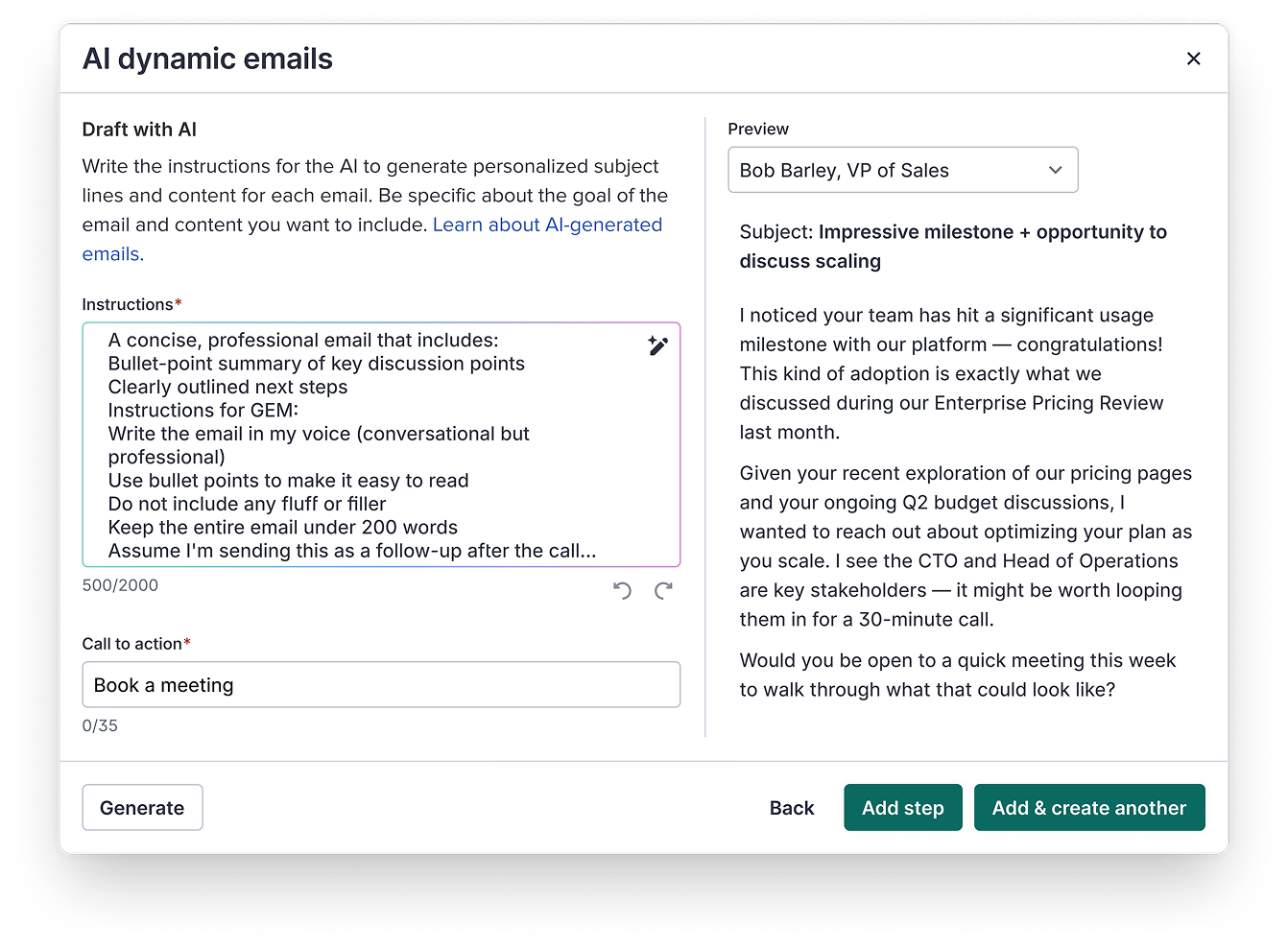
We moved away from “Black Box” generation to Explicit Guidance.
- Strategic Context: Admins can now provide textual guidance ensuring the AI understands the purpose of the cadence step.
For the executer (the rep):
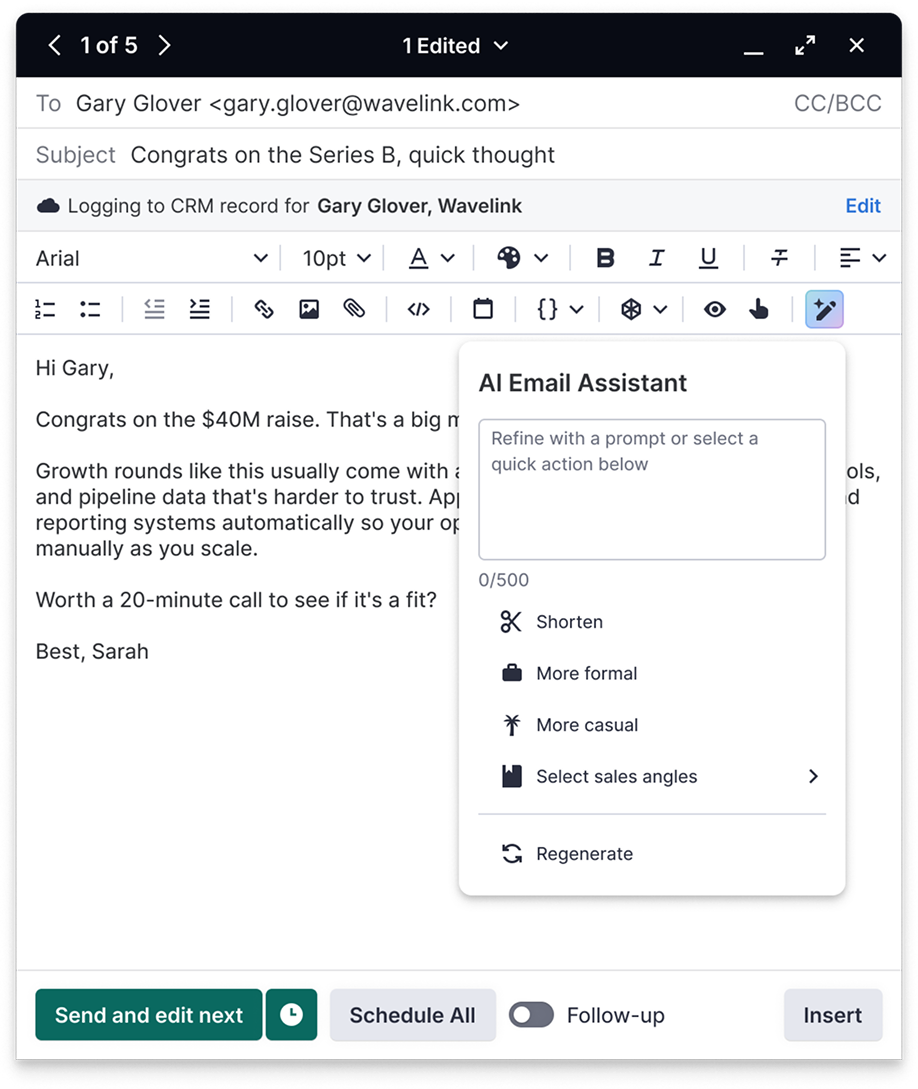
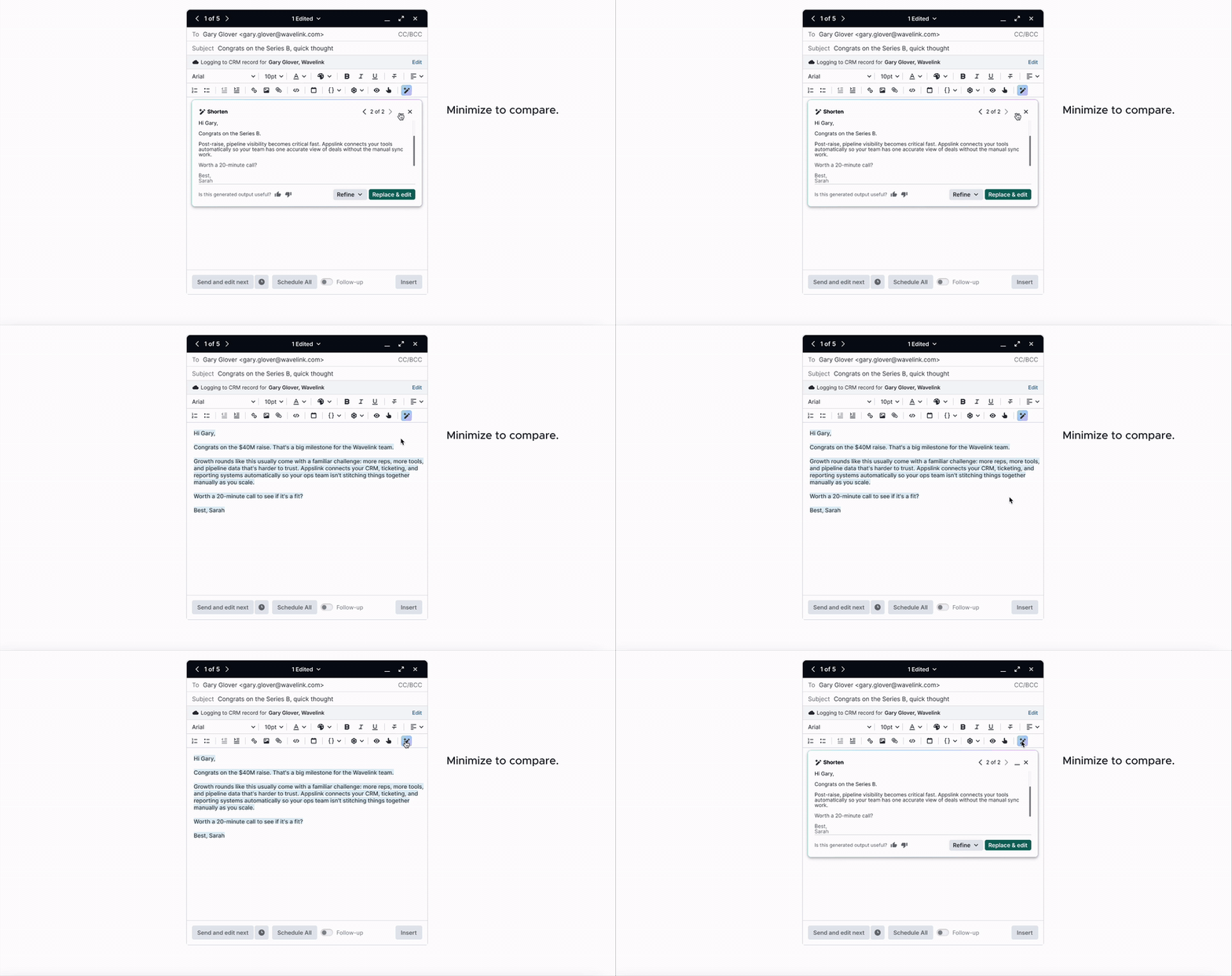
- The AI Assistant:A discoverable “Assistant” button that triggers the overlay refinement pane.
- Global Consistency: I aligned the UX patterns across Cadences, Plays, and our Gmail Extension to ensure the AI felt like a singular, reliable personality.
PREVIOUS DESIGNS audit
To understand the scope of the problem, I audited both the existing admin and rep workflows for creating and executing an AI email step. Here's what I found:
Admin flow: Creating AI email outreach steps for prospecting plans felt fragmented and underdeveloped.
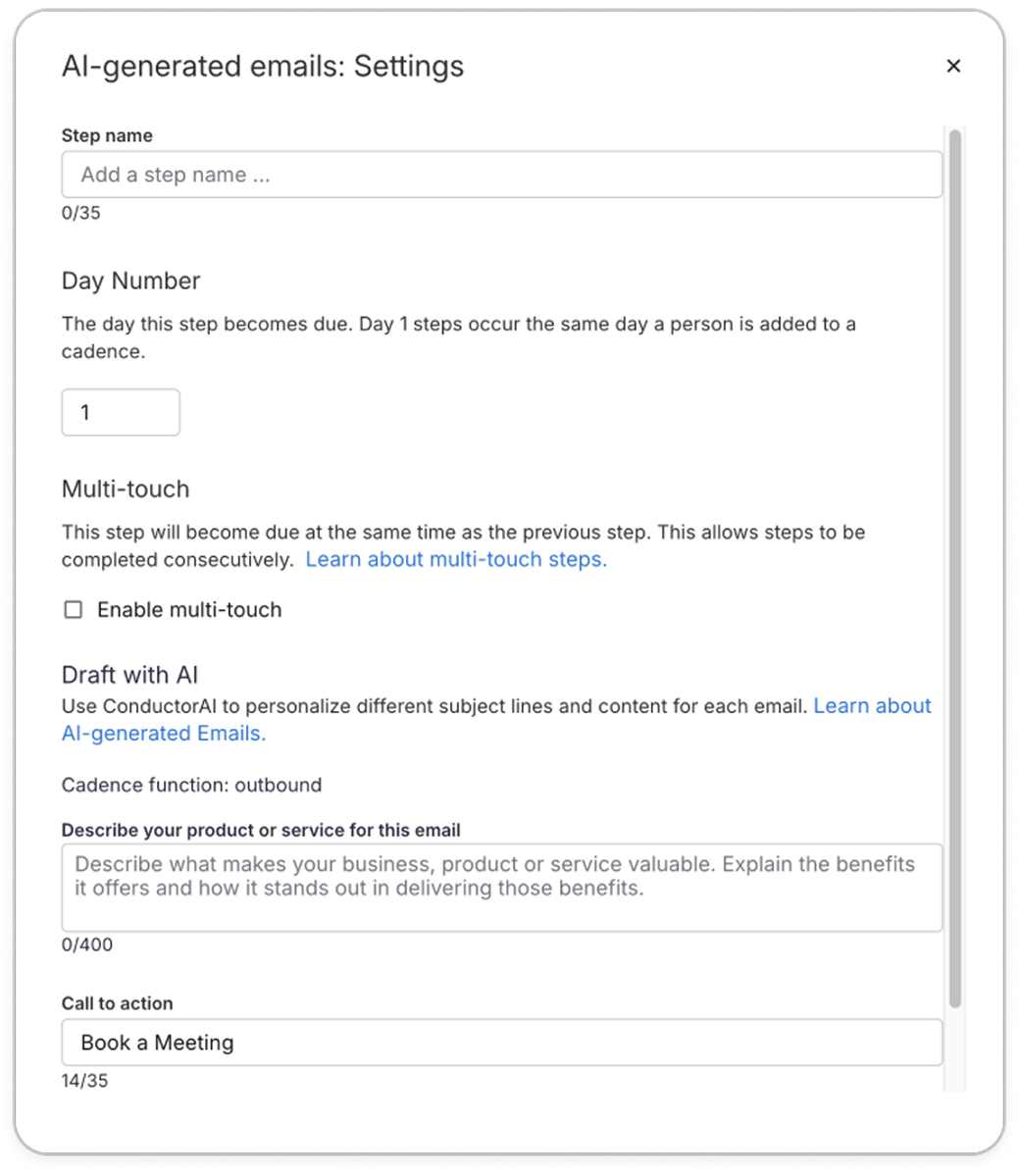
Step setup and AI setup don't belong together.
Combining them buried the AI inputs that actually influenced output quality.
Asking the wrong question.
Even admins who filled this out carefully still got generic output because the form didn't ask about strategy.
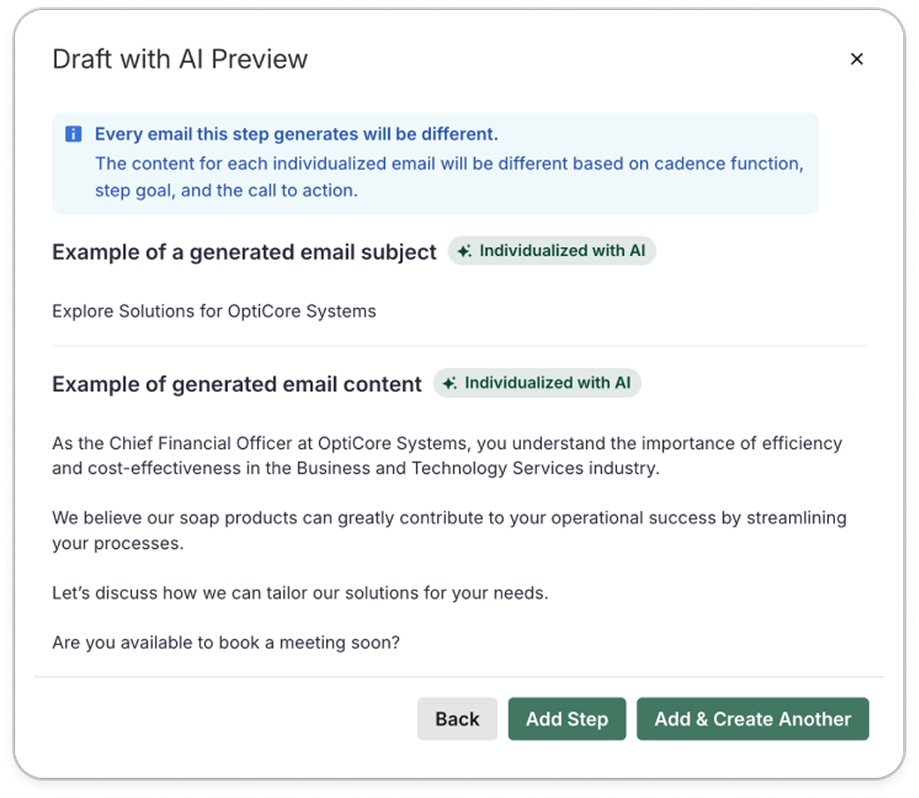
False confidence.
The sample output used a fictional company. Admins had no way to validate real output quality before reps encountered it.
A one-way door.
Editing required navigating backwards through the entire flow, making iteration feel like starting over.
Seller flow: Executing RevOps/sales managers prospecting plans required context switching for simple refinement.
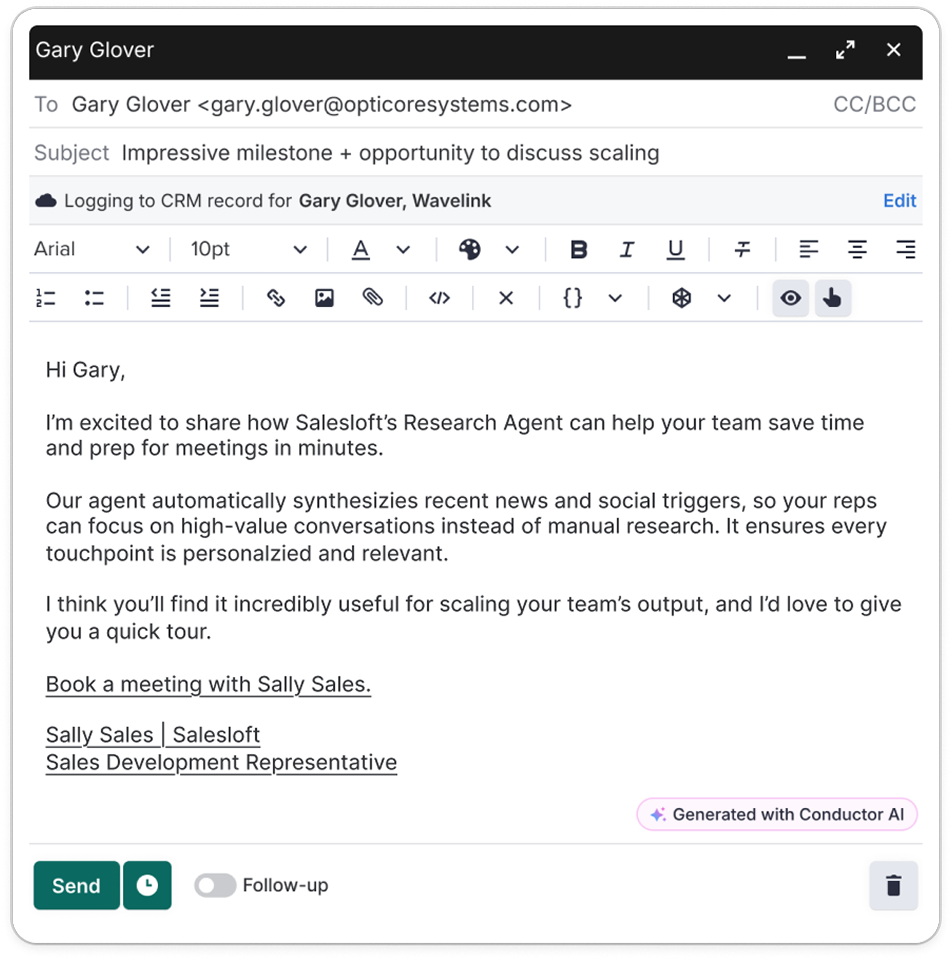
No way to refine in-product.
When the tone or length was off, reps had no way to fix it here, so they took it to ChatGPT.
initial Design decisions
Decision 01
Does the generate button belong with the inputs or the output?
Placing generate next to the preview selection risked implying that selecting a person was required to generate (it wasn't). The button belongs where the action originates: with the inputs.
Decision 02
Discoverability vs. consistency: where does the AI email assistant live?
A floating sparkle button is hard to miss, but it breaks the visual consistency of the email composer. If the answer to discoverability is always a flashier button, that's not good design. We chose consistency and solved for discoverability another way.
Decision 03
Inline was the ideal. Overlay was the reality.
The ideal experience displayed refinement output options inline. A technical constraint of not being able to inject components into the composer made that impossible. The overlay with a minimizing functionality preserved the core need without compromising the rep's workflow.
usability testing feedback
Three themes emerged across usability testing: one surprise, one validation, and one request we had to let go of.
Final designs
Admin flow
A RevOps admin adds an AI dynamic email step to an existing cadence — writes the instructions and CTA once, previews how the AI personalizes for a specific recipient, and saves.
Each personalized first draft is handed off to the rep at time of execution for final review before sending.
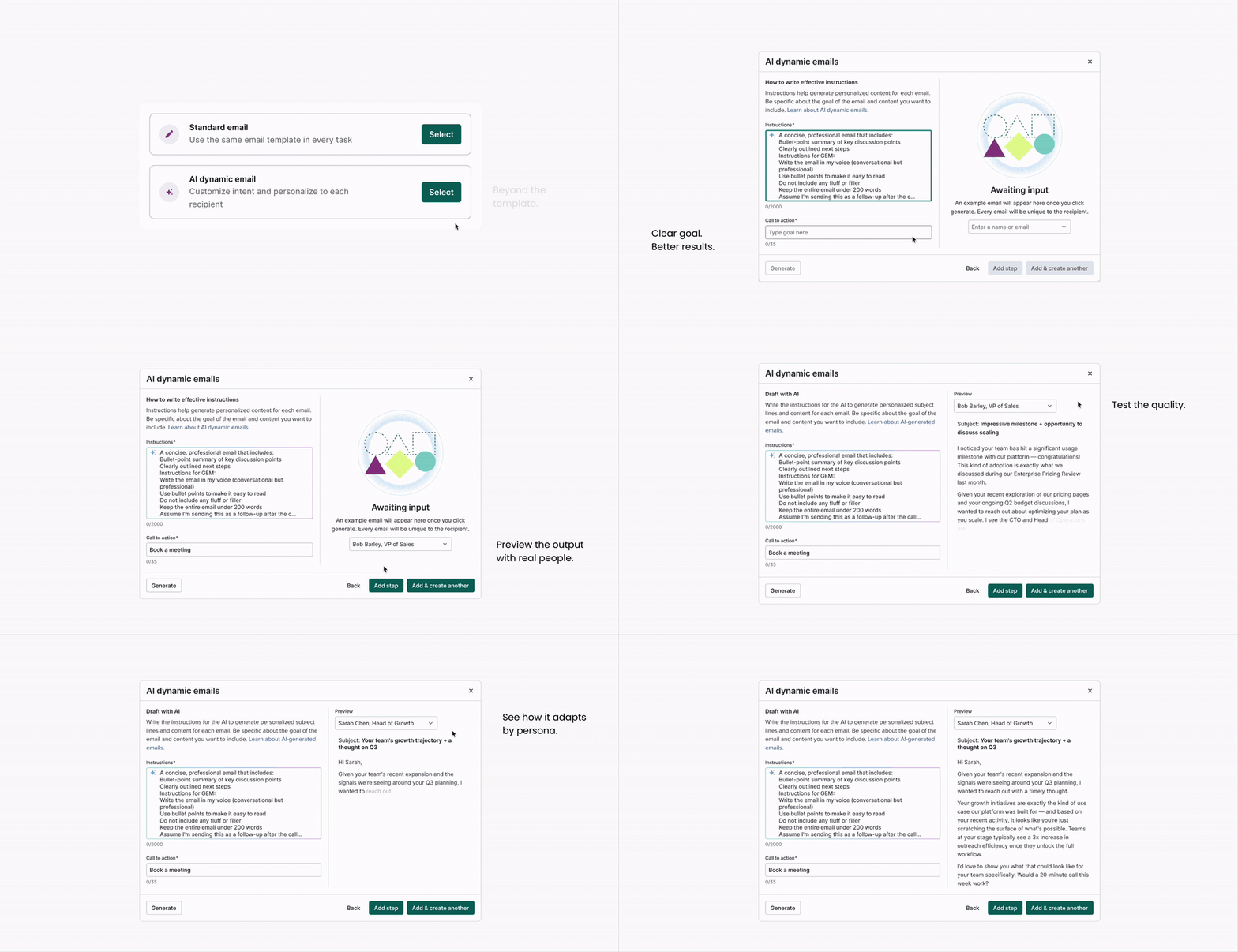
Then the rep executes
Seller flow
A rep works through their task queue — for each contact, a personalized draft is already waiting, written from engagement signals and research. They refine inline with the AI email assistant if needed, then send. No ChatGPT, no copy-pasting.
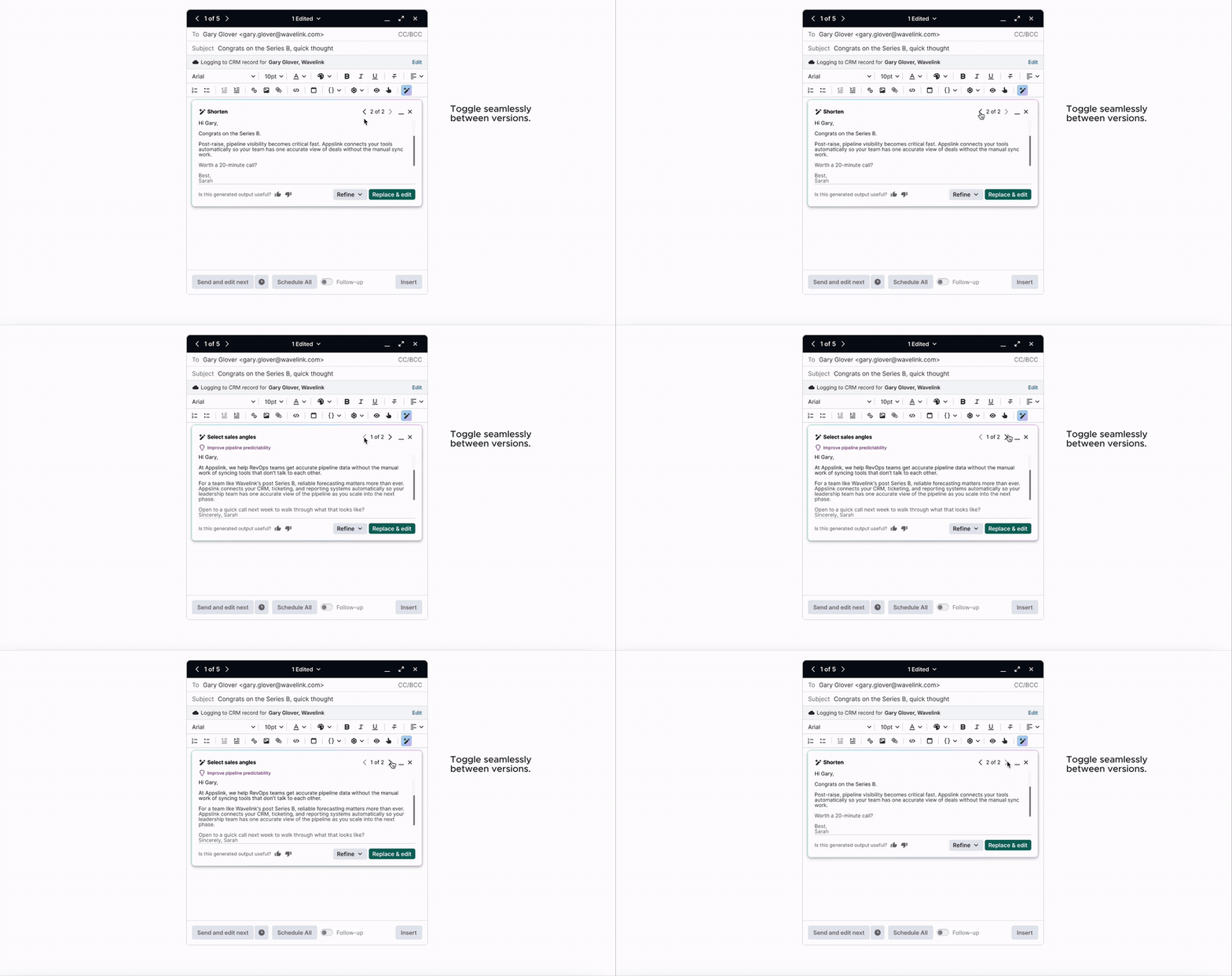
Facilitating Seamless Adoption
Introducing AI into a high-stakes sales workflow requires more than just good prompts, it also requires trust and flexibility. I focused on three key features to ensure reps and admins felt in control of the transition:
A/B testing steps
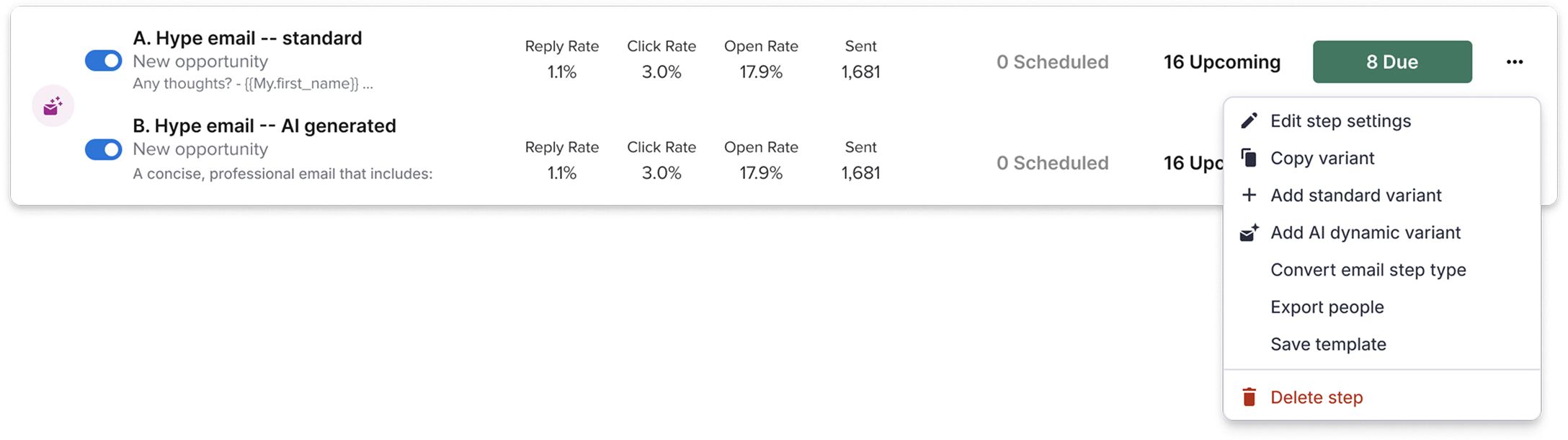
I integrated the AI email steps directly into Salesloft's existing A/B testing framework. This allowed teams to statistically prove the value of AI-generated content against their manual "Gold Standard" templates before fully committing.
Converting steps
I designed a seamless flow to convert standard emails into AI-enabled ones (and vice versa). This removed the "permanent" feel of the choice, encouraging more experimentation without the fear of losing existing work.
Prompt assistance
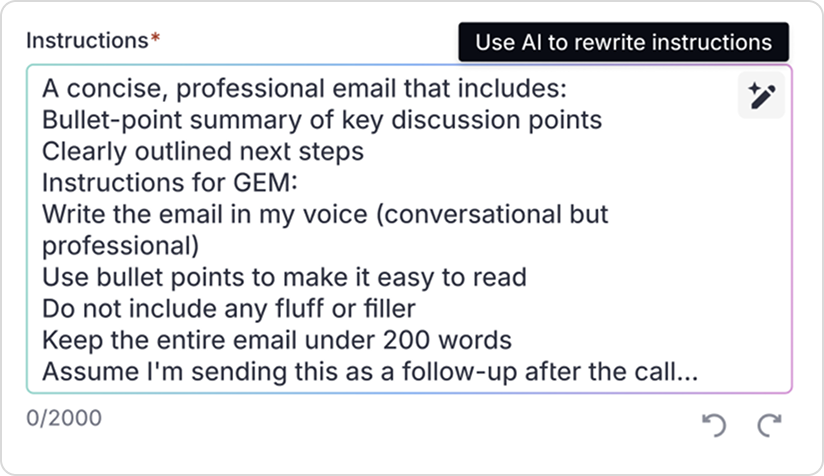
To solve the "Blank Box" anxiety, I integrated a "Help me write" feature (powered by Gemini) to guide admins in creating effective prompts.
Results
+16%
AI email step adoption
2x
higher skip rate than standard steps
+10%
AI email open rates
-38%
reply rate than standard steps
What does this mean?
I improved the usability aspect, but trust in our AI output for AI email steps was still lacking.
reflections & learnings
Take user feature requests with a grain of salt
Users asked for a way to compare original text against suggestions side-by-side. Usability testing revealed this wasn’t actually a pain point in practice — but we still addressed the underlying need by letting users minimize the suggestion output as a lightweight alternative.
Align early across teams
With multiple internal teams building AI email features simultaneously, early cross-functional alignment between designers and PMs was essential to surface overlap before anyone designed their way into redundancy.
suggested next reads
Building the context engine
Salesloft (part 2)
AI cadences
Salesloft (part 3)